Every DJ set,
cut on the beat.
Filmed a multicam DJ set? RaveCut lines up your cameras with the music, finds the beat, and switches between your cameras on the beat. Pick your folder, press one button, and your edit shows up in Premiere Pro, ready for your final touches. No more late nights doing it by hand.
- Club nights
- Warehouse raves
- Festivals
- Open-airs
Editing a multicam DJ set by hand takes days.
Film a three-hour set on three cameras and you come home with hours of video. Lining the cameras up takes an evening. Switching between them on the beat takes a whole weekend, plus more late nights before it's due. RaveCut does that part for you. You just add the final touches, and you get your evenings back.
Pick a folder. Press one button.
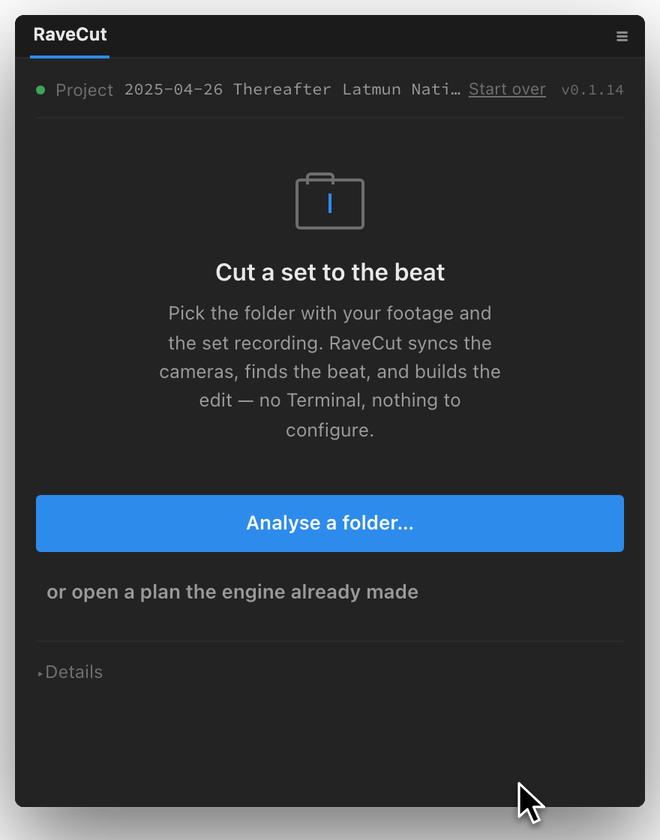
Choose the folder from the night
Everything you filmed that night, plus the sound recording of the set from the DJ mixer. You don't need to sort or rename anything first.
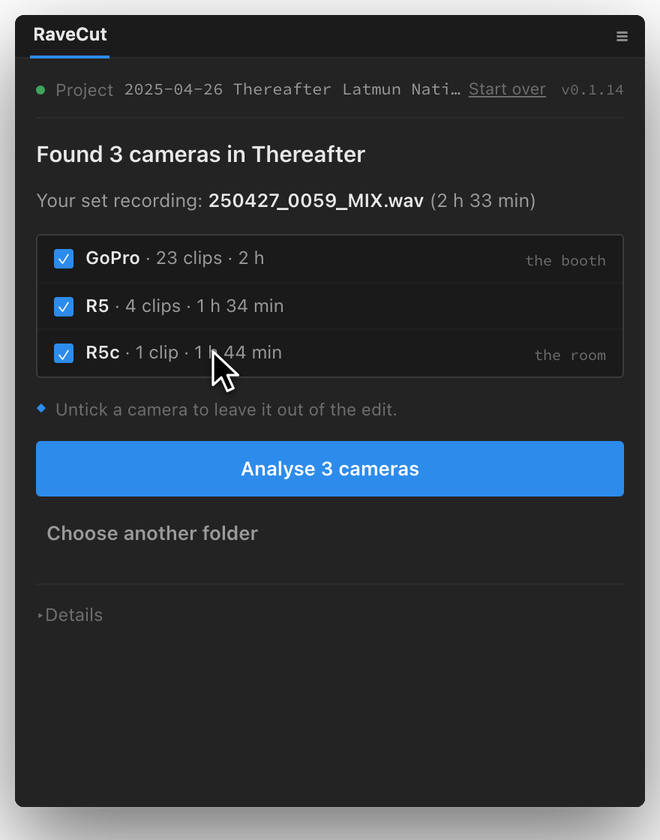
It finds every camera
RaveCut shows you the cameras it found. Untick anything you don't want in the video, then press Analyse.
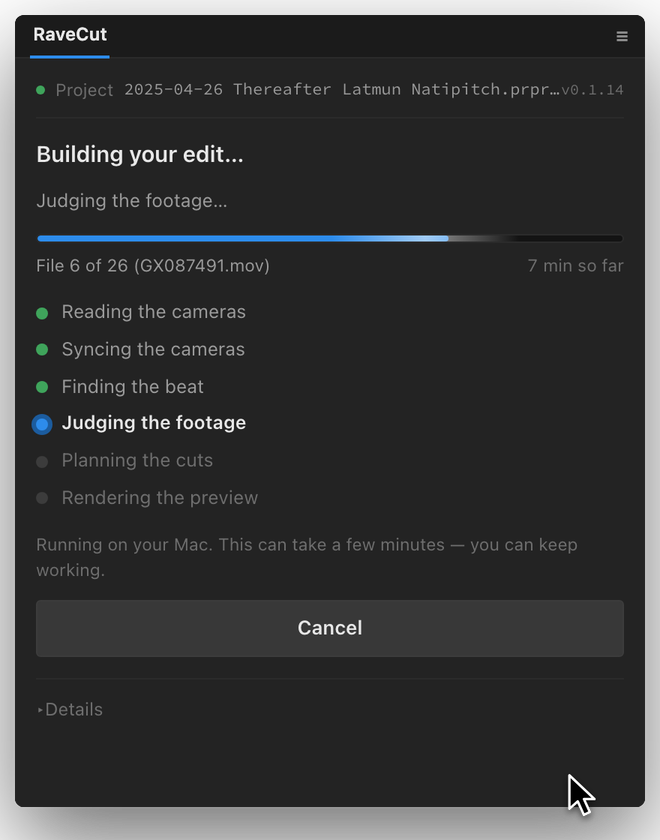
It edits for you
It lines up your cameras with the music, finds the beat, and chooses which camera to show at each moment, all on your Mac. Most sets take less than an hour. Start it and go to bed.
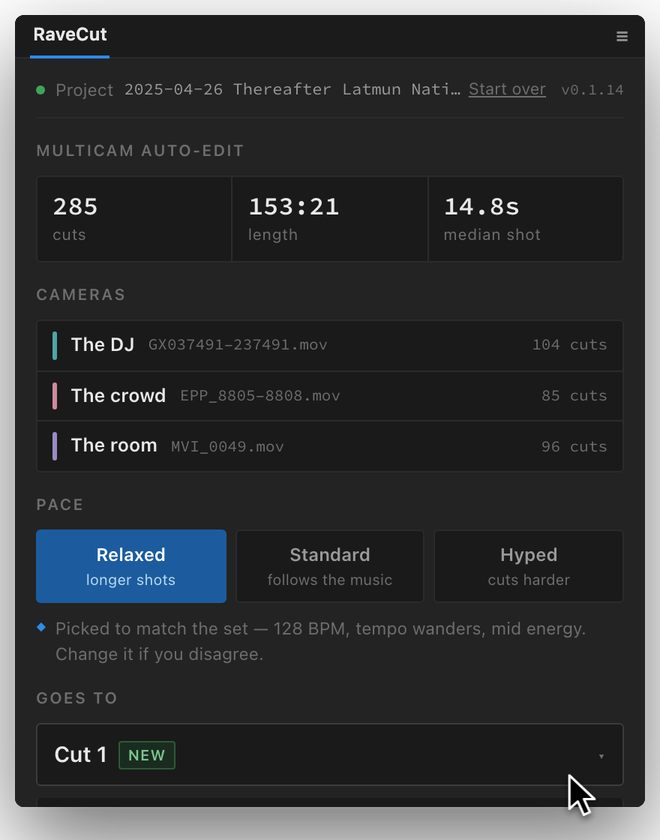
Your edit, in Premiere Pro
Choose how fast you want it to cut, then press Place the edit. Your video appears in Premiere Pro, cut on the beat. Change anything you like, then export it.
DaVinci Resolve support is on the way. RaveCut also saves an edit file that other editing apps can open.
A multicam edit that looks like a pro made it.
Cuts to the music
It hears where the beat is and where the big moments land, and it switches cameras right there. Your video moves with the music instead of feeling like a slideshow.
Saves you hours
Most sets are done in less than an hour, and you don't have to watch. Start it, go eat dinner, and come back to an edit that just needs your final touches.
Really simple
Nothing to set up. Install it, pick a folder, press one button. If you can find your videos, you can use it.
Yours, and private
It runs on your Mac only. No cloud, no uploads, no subscription, no fee each time you use it. Your videos never leave your computer. Pay once and keep it.
Other auto-editors switch cameras on a timer. RaveCut switches on the beat.
And it never guesses. If it can't line up a camera for sure, it still puts those clips in your edit, turned off and marked in colour, so you can check them yourself. Nothing is quietly wrong, and nothing is left out.
Buy it once. Own it.
Every feature, plus every version 1 update.
- Your first full edit is free: no card, no account
- Works on 2 Macs, like your laptop and your desk computer
- Works without internet after you activate it once
- All version 1 updates included
30-day money-back guarantee. If you wouldn't post the edit, you get a full refund. How refunds work
Is it only for raves?
It's for any electronic music event: club nights, warehouse raves, festivals, open-air parties and livestreams. If you filmed the DJ on two or more cameras and have the sound recording of the set, RaveCut can edit it.
Do I need to know how to edit?
No. If you can pick a folder, you can use it.
What do I need?
A Mac with an Apple chip (M1 or newer) running macOS 14 Sonoma or later, Adobe Premiere Pro 2026, and the sound recording of the set from the DJ mixer. DaVinci Resolve support is coming.
Does it work without internet?
Yes. Your videos stay on your Mac. RaveCut only goes online once, to check your license when you activate it.
Is it a subscription?
No. Buy it once and keep it. All version 1 updates are included.
Will it mess up my project?
No. It never changes anything you've already made. It adds a new edit that you can keep, change, or delete.
What if a camera doesn't line up?
RaveCut doesn't guess. It still adds that camera's clips, turned off and marked in colour, so you can slide them into place yourself.
Can I get my money back?
Yes, within 30 days, no questions asked. See the refund policy.